



Smart Garbage Can For Bathroom
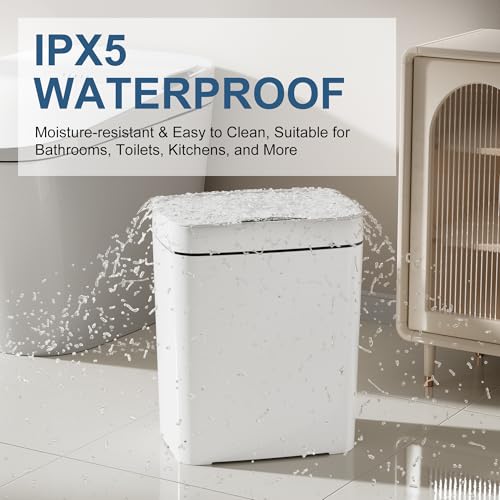
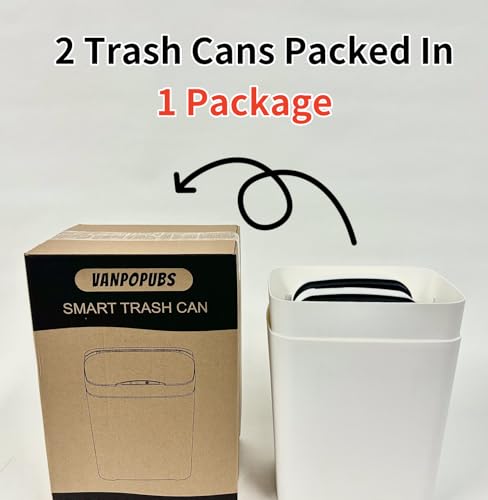
★★★ To protect the environment, only 2 trash cans will be delivered in ONE package, inside each other. ★★★ After an AA battery is installed, the trash can is turned off. Press and hold the 1.1-inch power button to turn the trash can on. If the indicator light flashes red, the battery is low; please replace the batteries. ★★★ To ensure the trash can works properly, keep a space of 29.2"/25cm above it clear of any items. It’s not suitable for under desks or sinks. ★★★ If the trash can’s indicator light is solid blue, it’s in the "Always Open" mode. After entering "Always Open" mode for 1 minute, the indicator light will turn off. Press the button again to close the lid and switch to motion sensor mode. Smart Motion Sensor Trash Can: The Vanpopubs Automatic Touchless Trash Can uses infrared sensing technology with a 0.1-second rapid response. Just hold your hand above the sensor, and the trash bin will open automatically. After 5 seconds, it will close if no object is detected. Pressing the switch keeps the trash can open, while pressing it again closes it. Space Saving & Easy to Use: The 2.7-gallon slim bathroom trash can fits perfectly in narrow spaces. Measuring 7.0" W, 9.8" H, and 12.2" W maximizes indoor space utilization. It’s ideal for bathrooms, kitchens, bedrooms, living rooms, offices, and dorms. Waterproof & Moisture-Proof: The smart motion sensor garbage bin with lid is made of high-quality PP material, making it durable and waterproof. With an IPX5 waterproof rating, it’s suitable for bathroom splashes. The garbage can prevents water from entering, making it easier to clean. Prevent Odors from Spreading: The small trash can with lid adopts an integrated design to ensure the trash can is sealed. The mini trash can effectively isolates the smell of garbage, keeping the indoor air fresh. Customer Notice: The bathroom wastebasket requires two AA batteries (not included). Press and hold the switch to turn the power on/off. If the light flashes and the sensor doesn’t work, try turning off the power and restarting the smart trash can.


 New
 New
 New
 New
